

SGA — Academic Management System
1. State of the Art: Academic Management Systems in Nicaragua
1.1 Nicaraguan Educational Context
Nicaragua has an educational system that serves more than 1.8 million students distributed across public, private, and subsidized schools. The Ministry of Education (MINED) regulates curricular standards, report card formats, and reporting requirements for all schools in the country. However, technology adoption for academic management remains uneven across different segments of the education sector.
1.2 Current Challenges
Most educational institutions in Nicaragua — especially small and medium-sized private schools — face the following limitations:
| Challenge | Impact |
|---|---|
| Manual records | Grades, attendance, and incidents are managed in physical notebooks or spreadsheets without centralized backup |
| Fragmented communication | Information for parents is transmitted through informal means (WhatsApp, notebook notes), without traceability |
| Lack of analytics | There are no dashboards or real-time indicators for decision-making |
| Manual MINED reports | Report cards and consolidated reports are generated manually, consuming teacher time |
| No integrated financial control | Billing and payments are managed in separate systems or on paper |
| Access gap | Existing commercial solutions (Q10, Phidias, etc.) have licensing costs that small schools cannot afford |
1.3 Existing Solutions in the Market
| Solution | Origin | Model | Main Limitation in Nicaragua |
|---|---|---|---|
| Q10 Académico | Colombia | SaaS subscription | High monthly cost for small schools; remote support |
| Phidias | Colombia | SaaS Enterprise | Targeted at large institutions; no local presence |
| SIGE / SIGEA | MINED Nicaragua | Government | Exclusive to public schools; limited to statistical reporting |
| SchoolAdmin | Costa Rica | SaaS | Not adapted to the Nicaraguan MINED curriculum |
| Excel Spreadsheets | — | Manual | No data integrity, no multi-user access, no automatic backup |
1.4 Opportunity and SGA Value Proposition
The SGA was created as a direct response to this technology gap, offering a platform with no licensing costs, specifically designed for the needs of the Nicaraguan educational system:
- ✅ MINED-compliant: Report card formats, grading scales, and term structures aligned with national regulations
- ✅ Zero license cost: Open-source model that eliminates the economic barrier
- ✅ Multi-tenant: A single deployment serves multiple institutions with per-school customization
- ✅ Trilingual: Native support for bilingual schools (ES/EN/FR)
- ✅ Parent portal: Formal communication channel with traceability
- ✅ Full integration: Academic + Financial + Transportation + Storage in a single platform
2. System Presentation
Welcome Page (Landing Page)
The entry point to the SGA is the welcome page (/welcome), where any visitor can learn about the platform and select their access point. This page is public and does not require authentication.
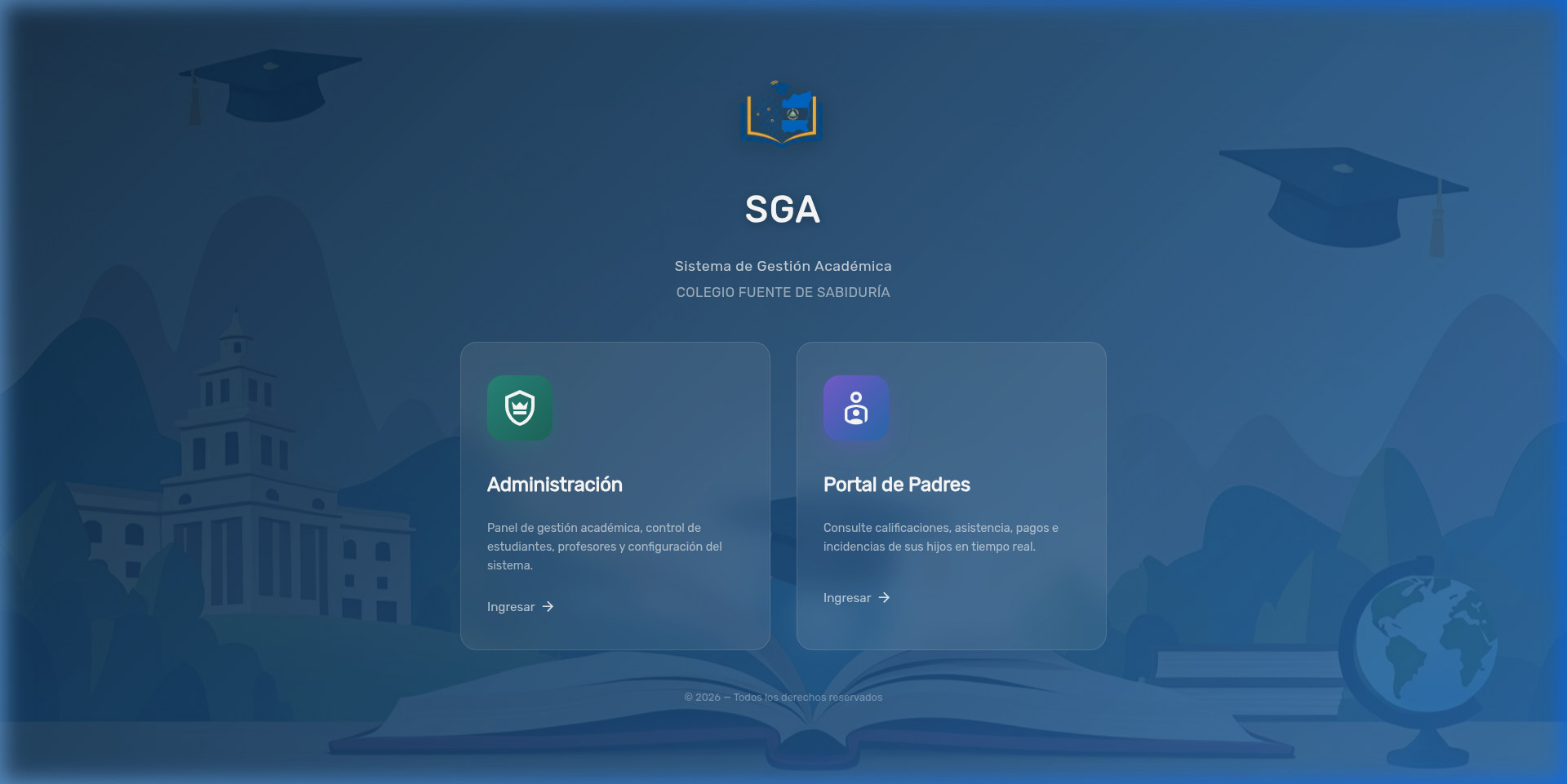
The system presents two clearly differentiated access portals:
| Portal | Icon | Description | Target Users |
|---|---|---|---|
| Administration | 🛡️ | Academic management panel, student and teacher control, and system configuration | Principals, secretaries, teachers, administrators |
| Parent Portal | 👤 | Real-time access to grades, attendance, payments, and incidents for their children | Parents and guardians |
Key elements:
- Institutional identity: Logo, system name, and school name visible from the start
- Themed background: Educational illustration with representative elements (graduation cap, globe, institutional building)
- Glassmorphism design: Cards with glass effect over the background for a modern, professional appearance
- Copyright: Footer with the current year
Note
The visibility of each portal depends on the permissions assigned to the user's role. A parent will only see the "Parent Portal" option, while an administrator will have access to both.
Login Screen
When selecting either portal, the user is redirected to the authentication screen where they must enter their credentials to access the system.
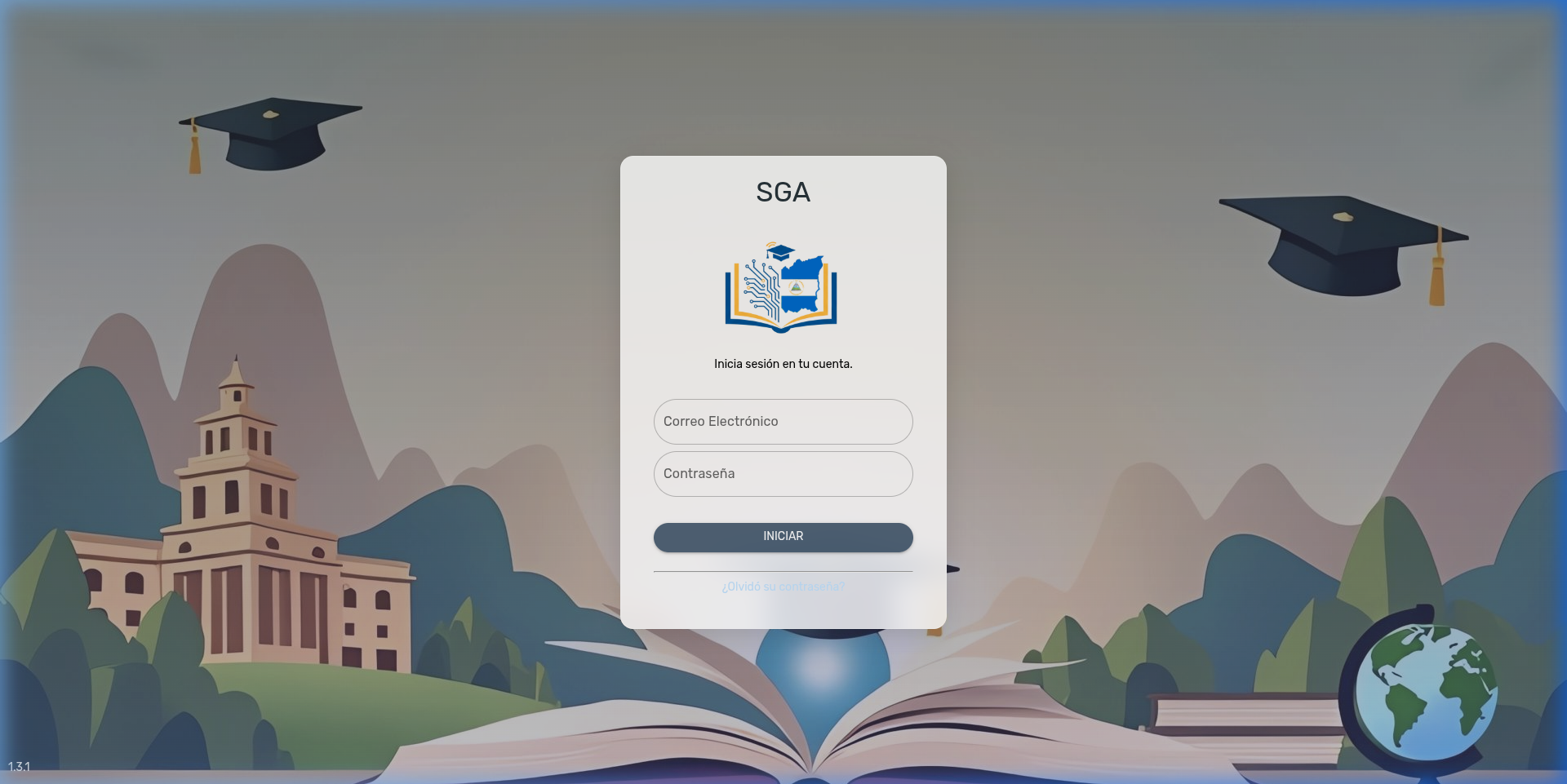
Login screen elements:
- Institutional logo: Customizable school crest
- Access fields: Email and password
- Recovery: "Forgot your password?" link for email-based reset
- Versioning: System version indicator visible in the bottom corner
3. System Overview
The SGA (Academic Management System) is a comprehensive platform designed for the administration of educational institutions. It offers complete management of the academic cycle: from student enrollment to grade report generation, including financial control, school transportation, and a parent portal.
Key Features
- Multilingual: Full support for Spanish, English, and French
- Role-based: Granular access control through permissions
- Parent portal: Independent access for viewing grades, attendance, and payments
- Reporting: Generation of report cards, consolidated reports, and receipts in PDF and Excel
- Google Drive integration: Cloud storage for institutional documents
4. Executive Dashboard
The main dashboard presents an executive summary of the institution's status in real time, filtered by school year.
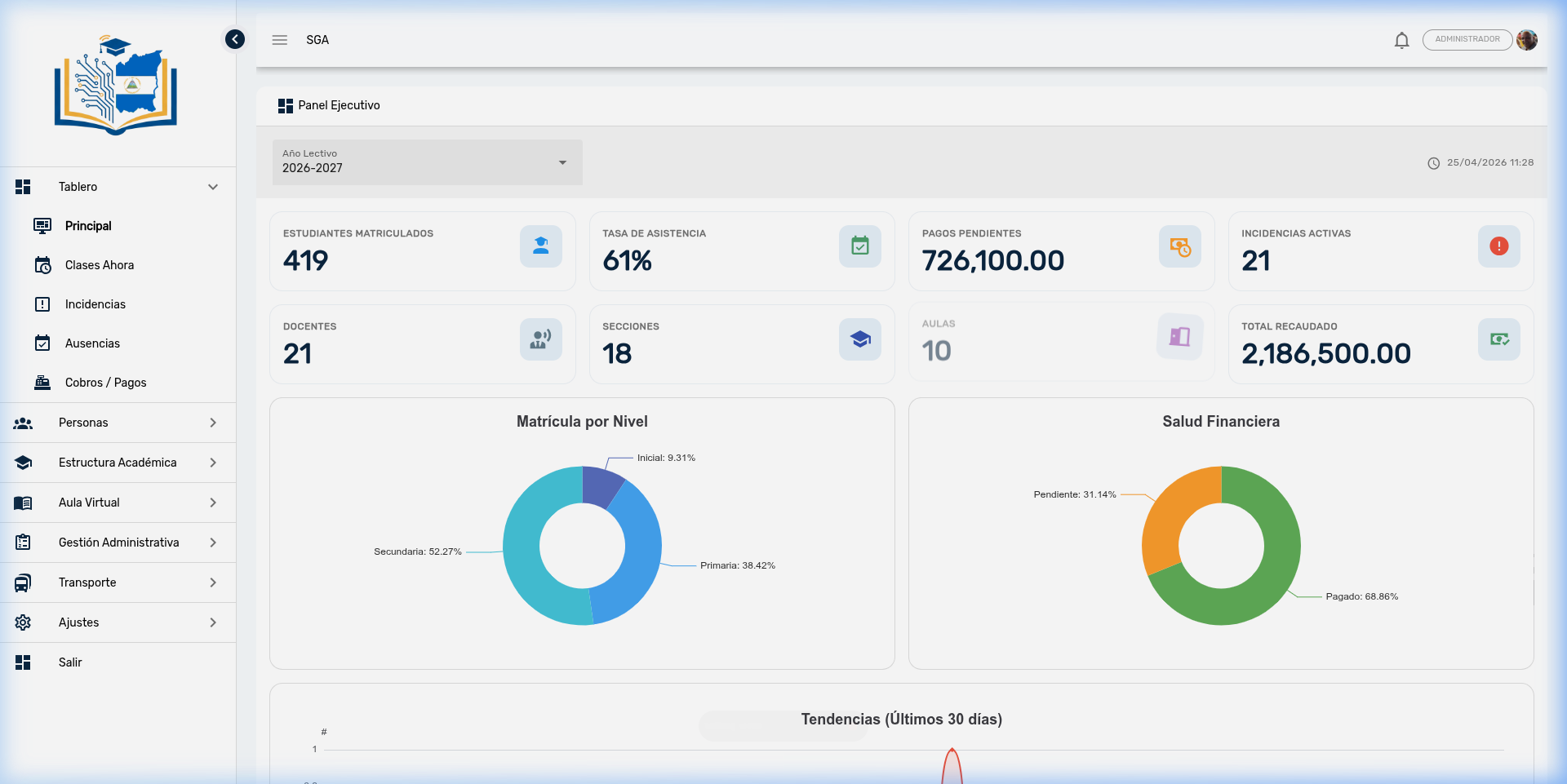
Key indicators:
| Indicator | Current Value | Description |
|---|---|---|
| Enrolled Students | 419 | Total active students in the school year |
| Attendance Rate | 61% | Overall average attendance percentage |
| Pending Payments | C$ 726,100 | Total outstanding amount in Córdobas |
| Active Incidents | 21 | Unresolved disciplinary reports |
| Teachers | 21 | Registered teachers |
| Sections | 18 | Active academic sections |
| Classrooms | 10 | Available physical spaces |
| Total Collected | C$ 2,186,500 | Total amount collected in the period |
Analytical charts:
- Enrollment by Level: Pre-primary (9.31%), Primary (38.42%), Secondary (52.27%)
- Financial Health: Paid (68.86%) vs. Pending (31.14%)
- Trends (Last 30 days): System activity timeline
5. Menu Structure
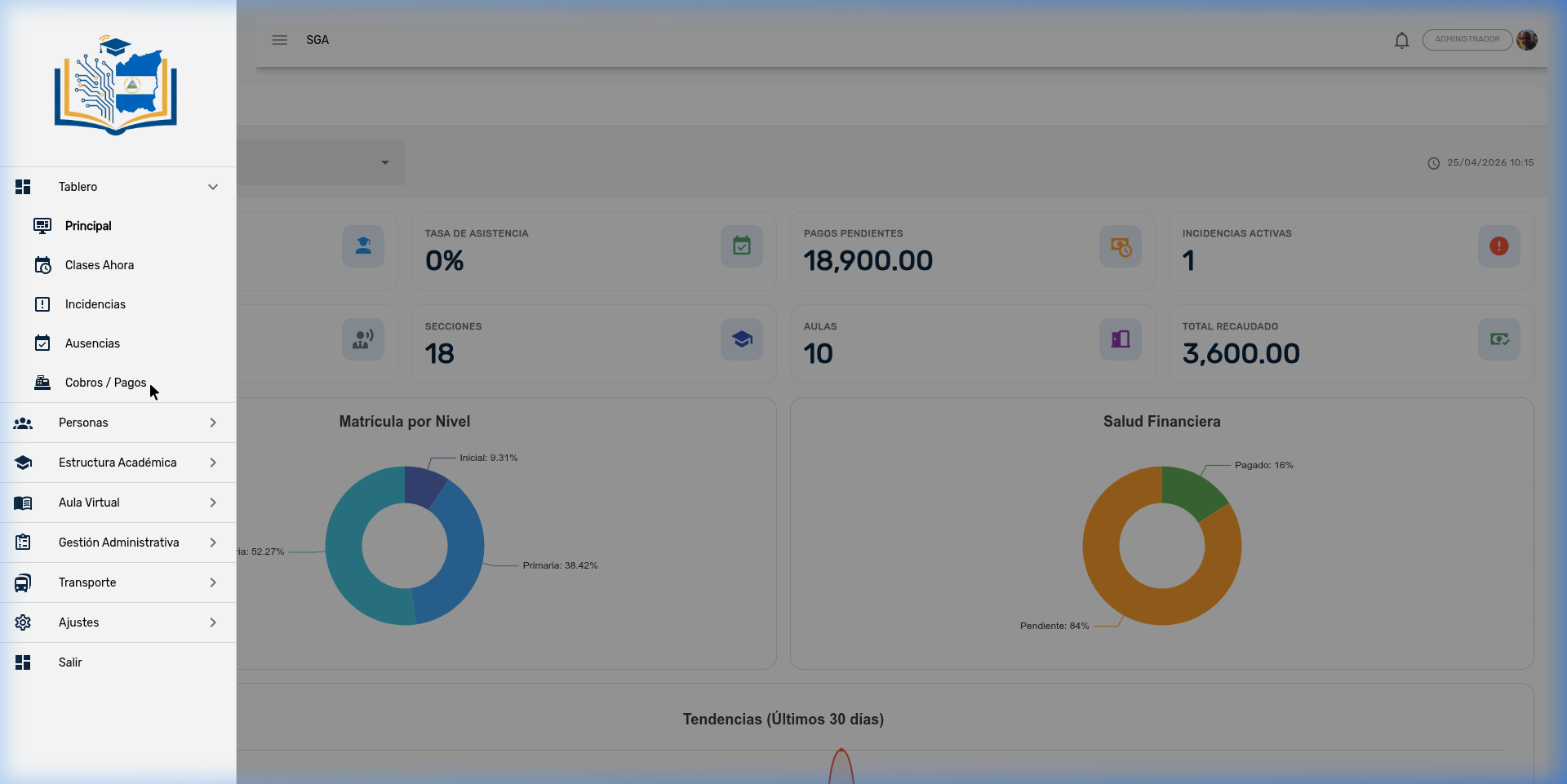
The system organizes its features into 7 main modules accessible from the sidebar menu:
5.1 📊 Dashboard
Control panel with real-time monitoring views.
| Sub-module | Description |
|---|---|
| Main | Executive dashboard with consolidated KPIs and indicators |
| Classes Now | Real-time monitor of ongoing classes by section |
| Incidents | Quick view of active disciplinary reports |
| Absences | Summary of the day's absences |
5.2 💰 Billing / Payments
Financial module for complete management of the institution's billing cycle.
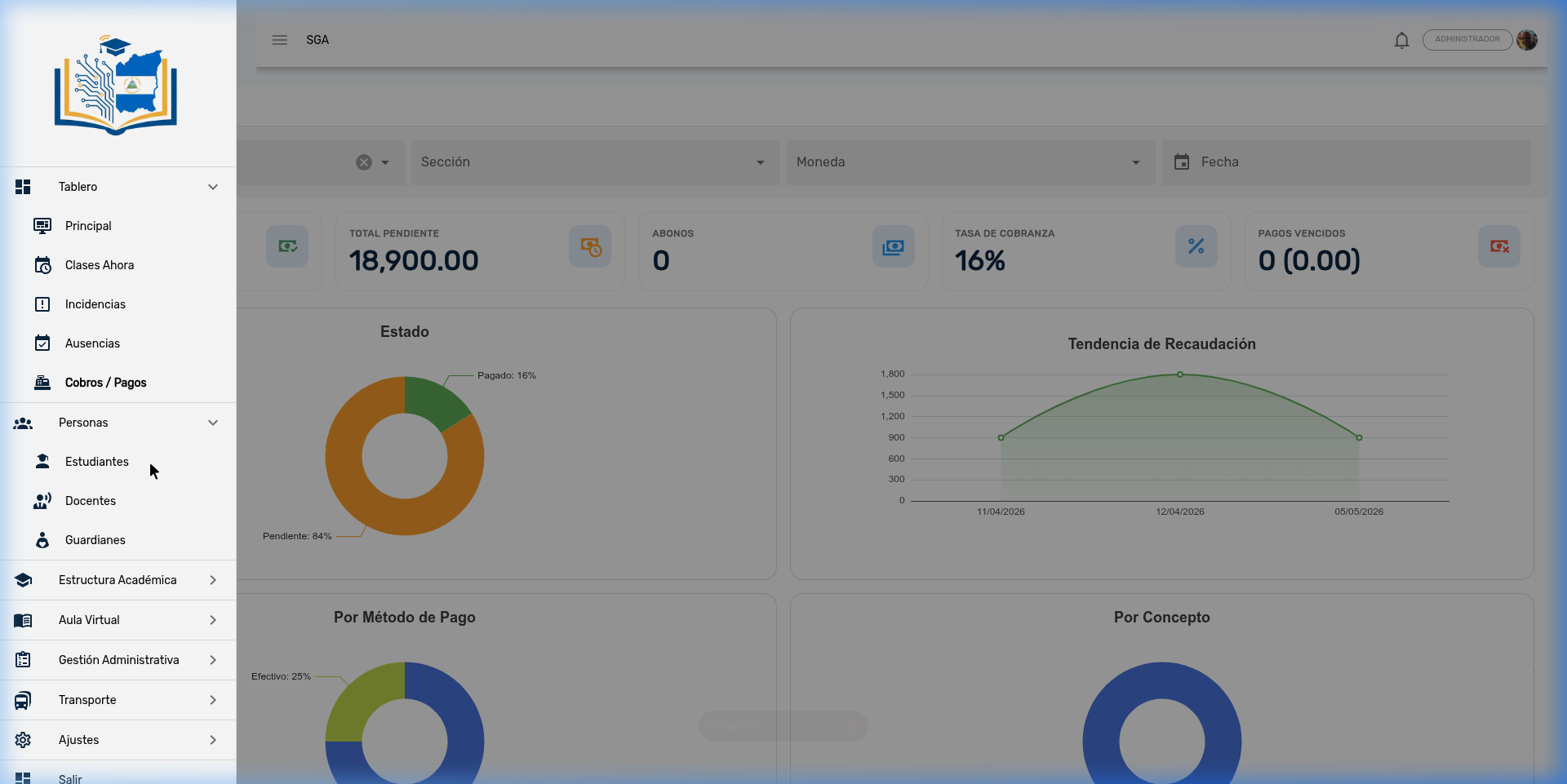
Features:
- Financial dashboard with total pending, partial payments, collection rate, and overdue payments
- Payment status and collection trend charts
- Distribution by payment method and by concept
- Transaction records (full and partial payments)
- PDF receipt generation
5.3 👥 People
Management of the directory of people linked to the institution.
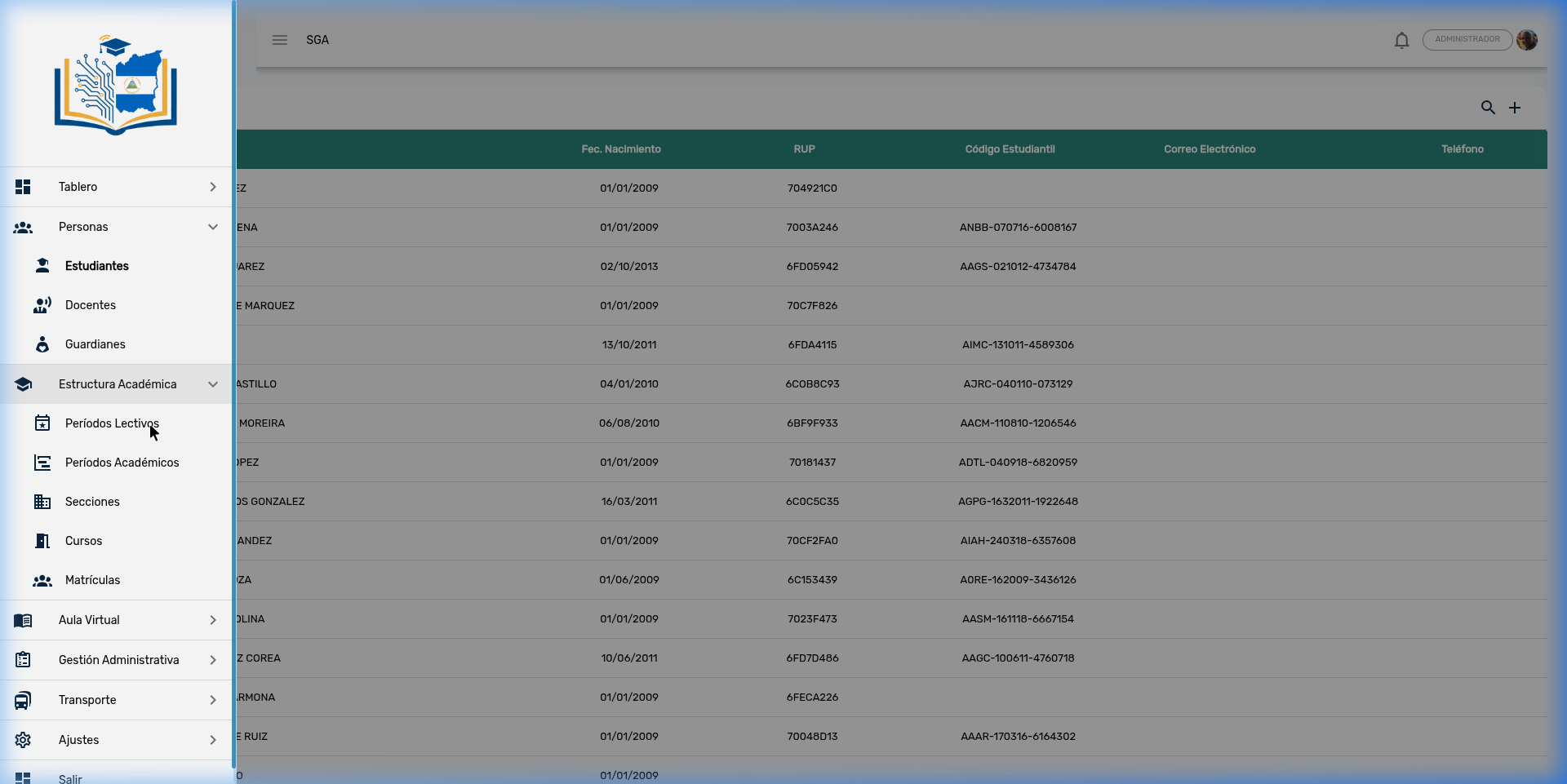
| Sub-module | Description |
|---|---|
| Students | Complete records: personal data, student code, RUP, date of birth |
| Teachers | Teacher directory with status and contact information |
| Guardians | Parents and guardians linked to their children |
5.4 🎓 Academic Structure
Configuration of the school year's organizational structure.
| Sub-module | Description |
|---|---|
| School Years | Academic years (e.g., 2026-2027) |
| Academic Terms | Subdivisions of the year (bimesters, trimesters) with closing dates |
| Sections | Class groups assigned to grades and levels |
| Courses | Subjects/classes with teacher assignments |
| Enrollments | Student enrollment in sections |
5.5 📚 Virtual Classroom
Central module for day-to-day academic management.
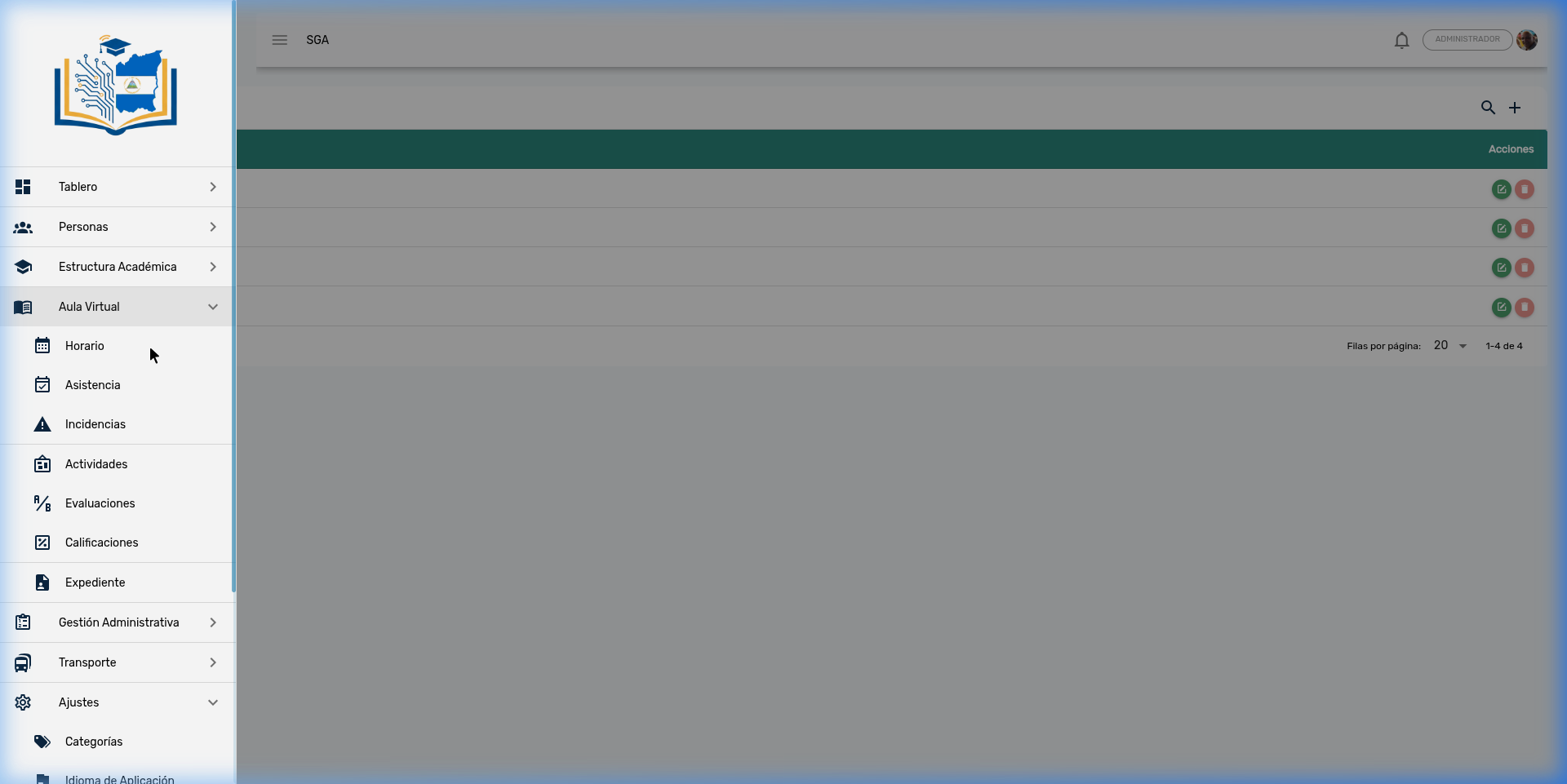
| Sub-module | Description |
|---|---|
| Schedule | Weekly class schedule by section |
| Attendance | Daily attendance tracking by status (Present, Absent, Late, Excused) |
| Incidents | Disciplinary reports with status tracking |
| Activities | Academic tasks and activities with Google Drive integration |
| Evaluations | Definition of evaluation criteria and structure |
| Grades | Grade entry and management (Quantitative, Qualitative, Mixed) |
| Student Record | Student academic history |
5.6 🏢 Administrative Management
Administrative and institutional support tools.
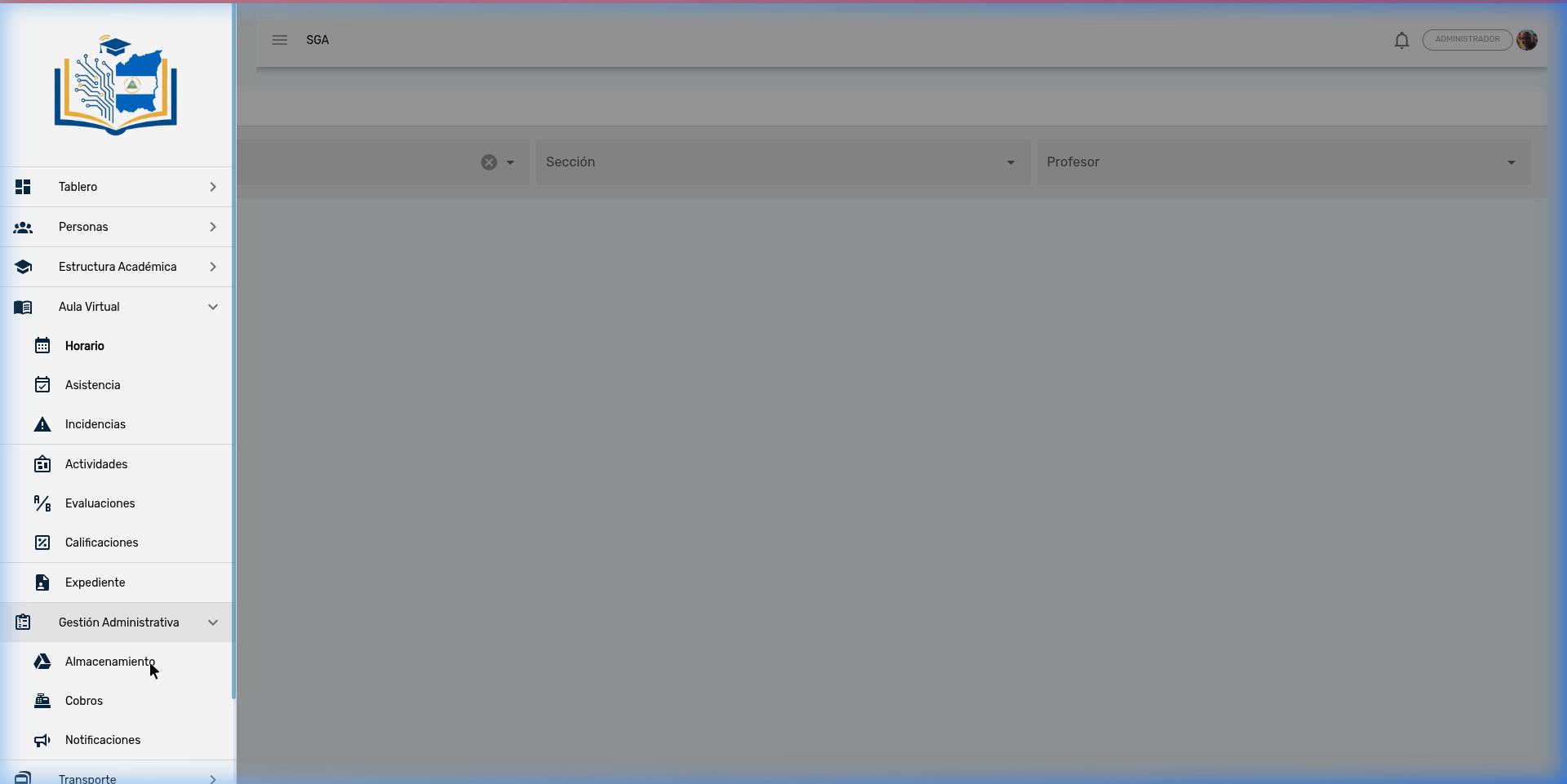
| Sub-module | Description |
|---|---|
| Storage | Institutional Google Drive file explorer |
| Billing | Configuration of billing concepts and payment plans |
| Notifications | Push notification system for parents and teachers |
| Parent Portal | Management of guardian access to the Parent Portal |
5.7 🚌 Transportation
Comprehensive school transportation management.
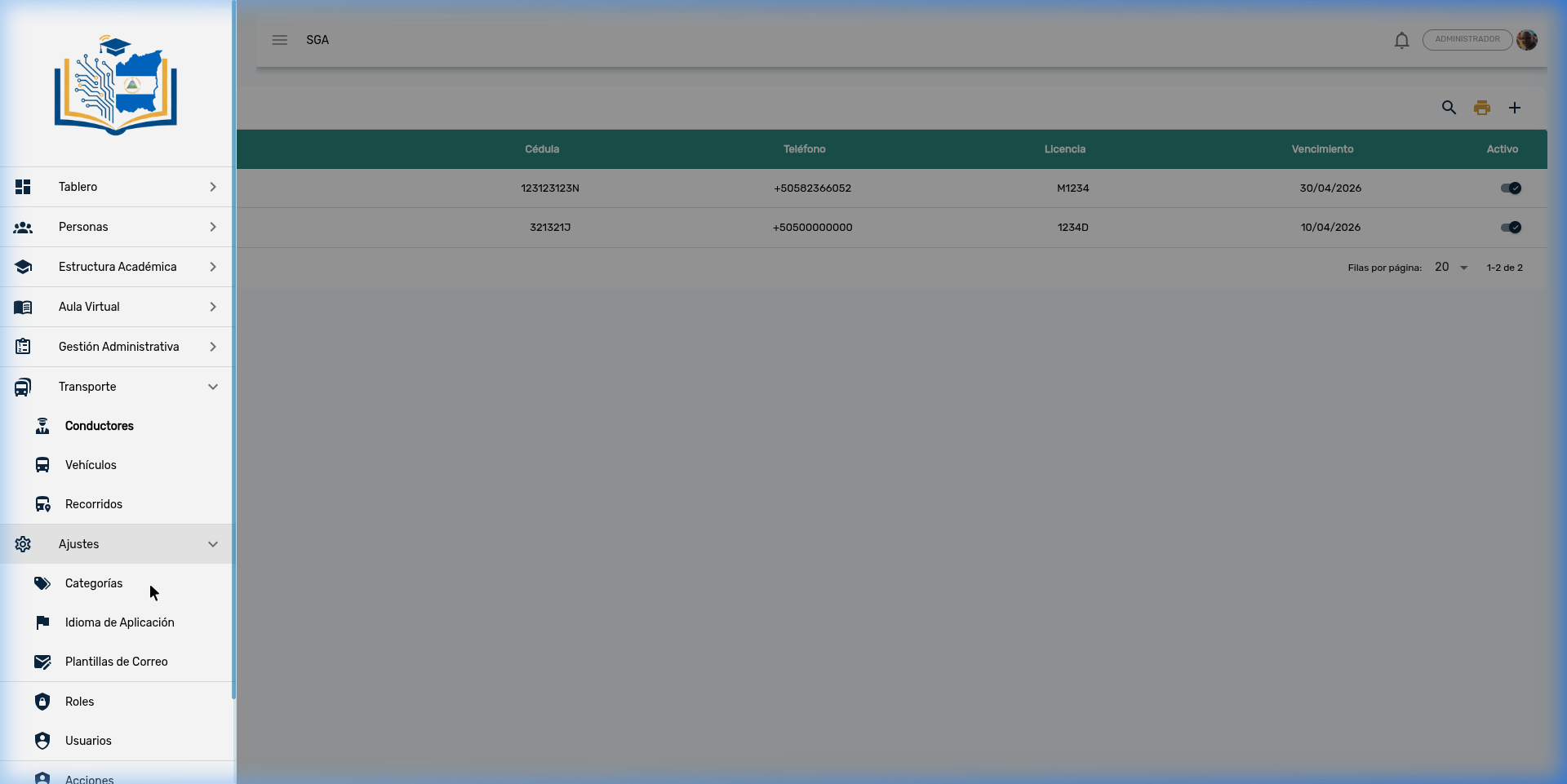
| Sub-module | Description |
|---|---|
| Drivers | Driver records with ID, license, and expiration date |
| Vehicles | Vehicle fleet with technical data |
| Routes | Transportation routes with student assignments |
5.8 ⚙️ Settings
Global system configuration.
| Sub-module | Description |
|---|---|
| Categories | System catalogs (genders, statuses, levels, grading scales) |
| Application Language | Translation management (ES/EN/FR) |
| Email Templates | Templates for system emails |
| Roles | Role definitions with permission assignments |
| Users | User account management |
| Actions | System action audit log |
5.9 🌐 Parent Portal (external access)
Independent portal for parents and guardians. Guardians log in using a verification code they receive by email or WhatsApp (no password required).
Portal features:
- 📊 Children's grades
- 📋 Attendance history
- ⚠️ Disciplinary incidents
- 💰 Payment status
- 🚌 Transportation information
- 🔔 Real-time notifications
Note
The portal applies display restrictions based on the academic term closing date and the student's payment status.
Tip
For the complete Parent Portal documentation (access management and login), see the Parent Portal chapter.
6. Technical Information
| Component | Technology |
|---|---|
| Backend | NestJS + TypeORM + PostgreSQL |
| Frontend | Vue 3 + Quasar Framework |
| Authentication | JWT with refresh tokens |
| Storage | Google Drive API v3 |
| Languages | Spanish, English, French |
| Timezone | America/Managua (CST UTC-6) |